How to use filter on zoom
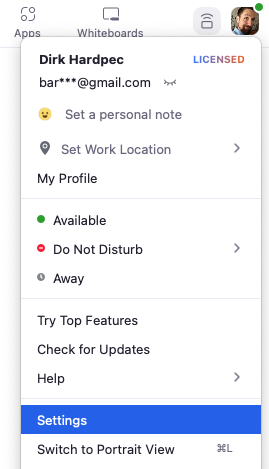
- In the Zoom desktop client, click your profile picture, then click Settings.
- Click the Video tab.

- Click Enable HD.
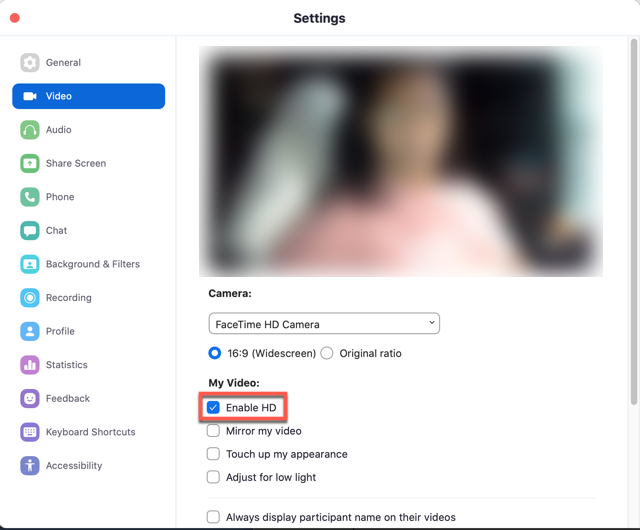
Note: Even with the setting enabled, your device must meet the bandwidth requirements as well.
Adjust for low light
- In the Zoom desktop client, click your profile picture then click Settings.
- Click the Video tab.
- Enable Adjust for low light.
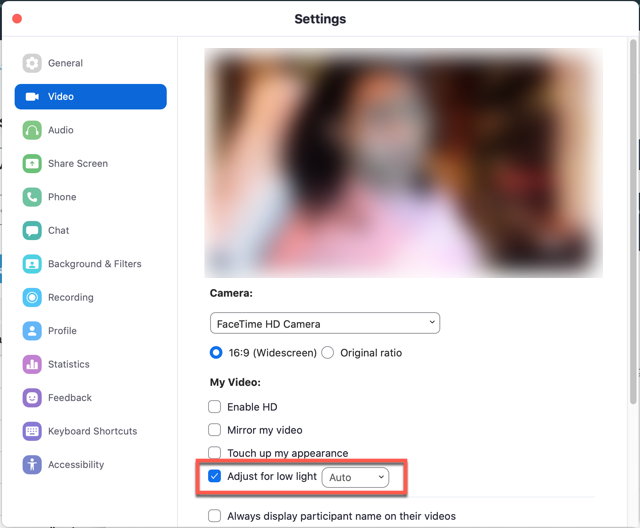
- By default, the setting will be set to Auto. However, you can select Manual, and adjust the setting to the desired effect.

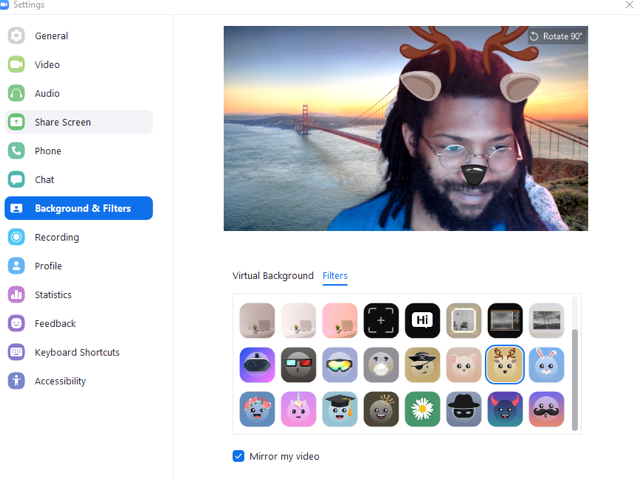
Video filters
- In the Zoom desktop client, click your profile picture then click Settings.
- Click the Background & Filters tab.

- Click Video Filters.
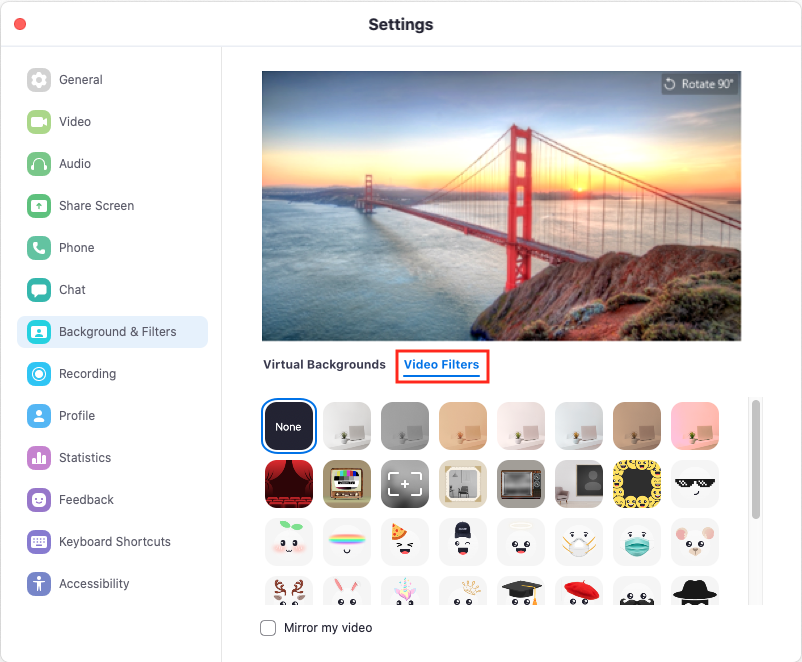
- Select the desired filter.
Comments
Post a Comment